Don't let administrative tasks
overwhelm you.

Budget and costs

Plan ahead, add your management, costs and budgets.

Learn more

Time tracking

Involve your team to adjust budget and start time entry for each member.

Learn more

Invoicing

Automatically invoice clients based ion invoicing planning for each projects.

Learn more

Proposals

Generate automatically your proposals with template you created.

Learn more

Fees solver

Calculate your fees based on contract, time or costs.

Learn more

Co-contractors

Dispatch fees between your co-contractors by phases.

Learn more

Projects

Add your projects, their details, clients and members and follow their progress.

Learn more

Sub-contractors

Add and manage your sub-contractors fees in direct or non-direct payments.

Learn more

Commercial

Add your potential project and start working on it before they get signed.

Learn more

Invest in a tool adapted to your needs

Manage your projects with co-contractors and sub-contractors. Work by phases and calculate your fees by price range.

Centralize all needed information.

To gain time, you need eveything in one place. Stop going from file to file. In a blink of an eye, capture important KPI related to your activity.


fond grad

Automatize as much as you can

Save time and make your life easier by automating all your administrative tasks.

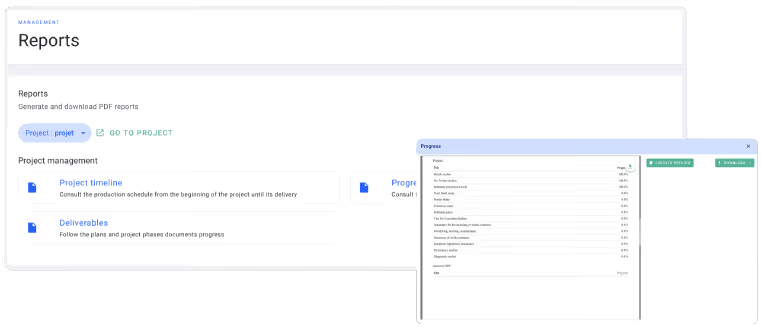
Navigate through tonnes of data with custom, auto-generated, relevant reports.

image

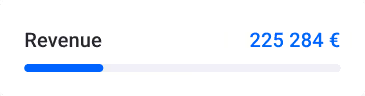
“With dashboards, invoice planning, fees and automatic invoicing, I can finally get my real time invoiced revenue ! I gained a lot of time and reliability on all of my 3 companies”

Romain Descheemaekere
Founder @RDC

Adapted to each roles

Navigate through tonnes of data with custom, auto-generated, relevant reports. Beat the competition with a tool made for your business.

Project phases table dated 8 April 2023 showing progress, budget, validation, and invoiced percentages for phases like Strategic conception, Preparation, Design, Construction, and Hand-over.

Follow and update project progress

Make your projects manager responsable of their project my phases

Calendar highlighting July 15 and 16 with a pop-up for Friday 16 showing three entries labeled 'FR0019 - First study draw' and a green button labeled '+ TIMESHEET'.

Add work hours to follow budget

Hours entered by architects are directly linked to project budgets. Follow and adjust workload during projects.

Invoice table showing projects, due dates, amounts, and payment status, with a green 'New Invoice' button at the top right and a totals summary at the bottom.

Automatically invoice clients

Generate invoices and follow payments. Send reminders when invoices are late.

Bar chart showing monthly revenue from October 2021 to May 2022 with three colored bars per month; adjacent circular chart indicates team workcharge at 95%.

Pilote your business

Get the most of all data entered by your teams. Track revenue and benefit from all kinds of production and financial reports.

Discover the management tool for architecture.

National Geographic logo with a yellow rectangular border and the word 'National' in yellow text.Black lowercase letters 'dá' on a white background with an acute accent on the 'a'.Text reading 'École d’architecture de la ville & des territoires Paris-Est' in bold black font.Red maple leaf icon followed by the word 'MAPLE' in uppercase black letters.Logo with green letters 'LTB' inside an oval outline next to the text 'La Tech du BTP'.Logo for la Fruitière, featuring a geometric cube design and the text 'la Fruitière architecture et innovations.'Text logo reading 'BUREAU BAILLET' with BUREAU in smaller font above BAILLET in larger font.Blue stylized text logo spelling 'Roomies' on a black background.

Try OOTI now

No contracts, no credit card.
Get started now
The first 14 days are on us
Easy set up and premium onboarding
No credit card needed